Pradeep's Stream
Things to keep in mind when migrating the website/blog to a new content management system:
- What do you want to keep; don't break links
- Build a simulator to compare what will change between the new system and the old -- is the new content management going to:
- maintain the same URLs?
- same content layout
- same metadata at the page level?
create a skills matrix
| Topic | Skill | Level | Supporting Evidence |
Nim memory management is tied to the type you use
You either use:
- an object. Which is on the stack and is either trivial or uses destructors and is suitable for embedded due to deterministic memory management
- a pointer object. Which is a raw pointer like C *. Managed directly via raw malloc/free or Nim malloc/free. Suitable for embedded
- a reference type. Which is managed by one of Nim GC or is an error if you use bc:none
via on HN.
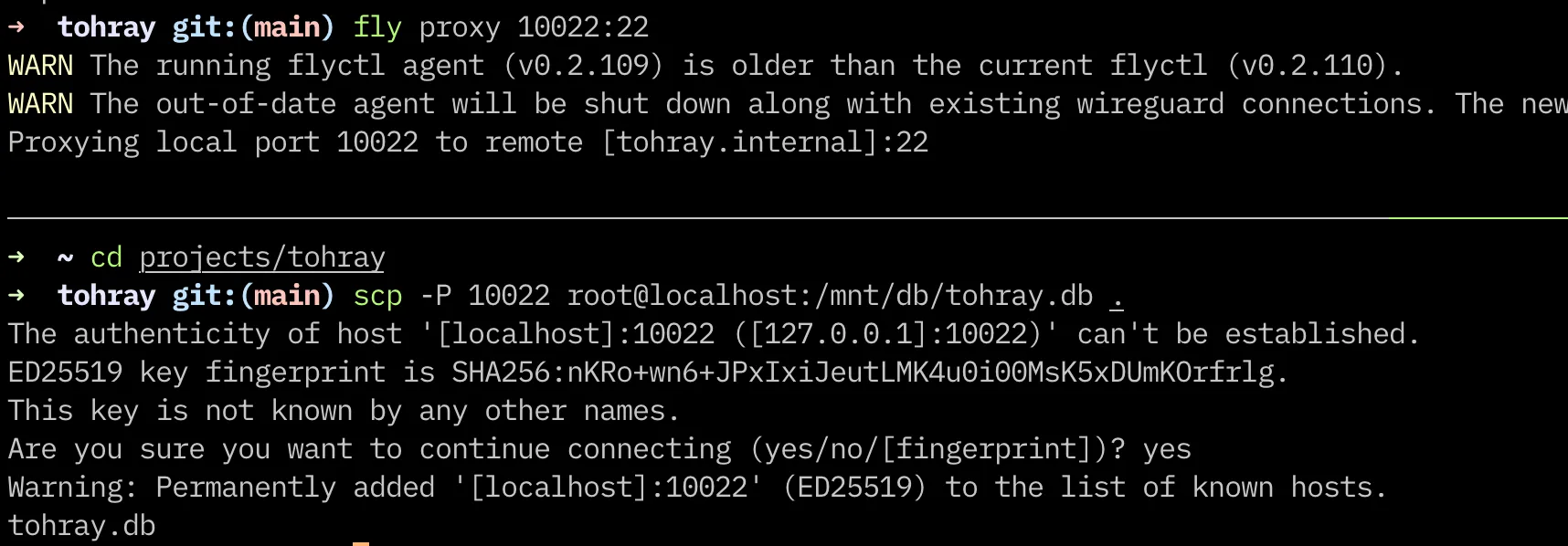
You can use fly proxy command to setup a SSH proxy to a running Fly.io instance.
In the screenshot below, I used the connection to download the tohray database (a sqlite file) to my local machine for development.
tohray now has RSS feed
I added the RSS feed endpoint to this blog as well as the software.

Also used the newly created Convert to WebP MacOS QuickAction to convert the above screenshot to .webp!
Fontmatter
fontmatter is a new project to collect nice fonts, with sample of how they look, with a link where they can be downloaded, with licensing information.
The grid layout on the page itself was created using Claude 3.5 (It will soon become implied that every coding project has Claude's "hands").
Check it out and suggest your favourite Open Source font (or commercial if it's reasonably obtainable).
tohray now has edit and delete functionality.
The edit post and delete post links show up for every entry when you are logged in.
You can see the commit here on github.
I also want to thank Nilesh for sending a PR to add docker compose
This website gets excellent pagespeed scores.
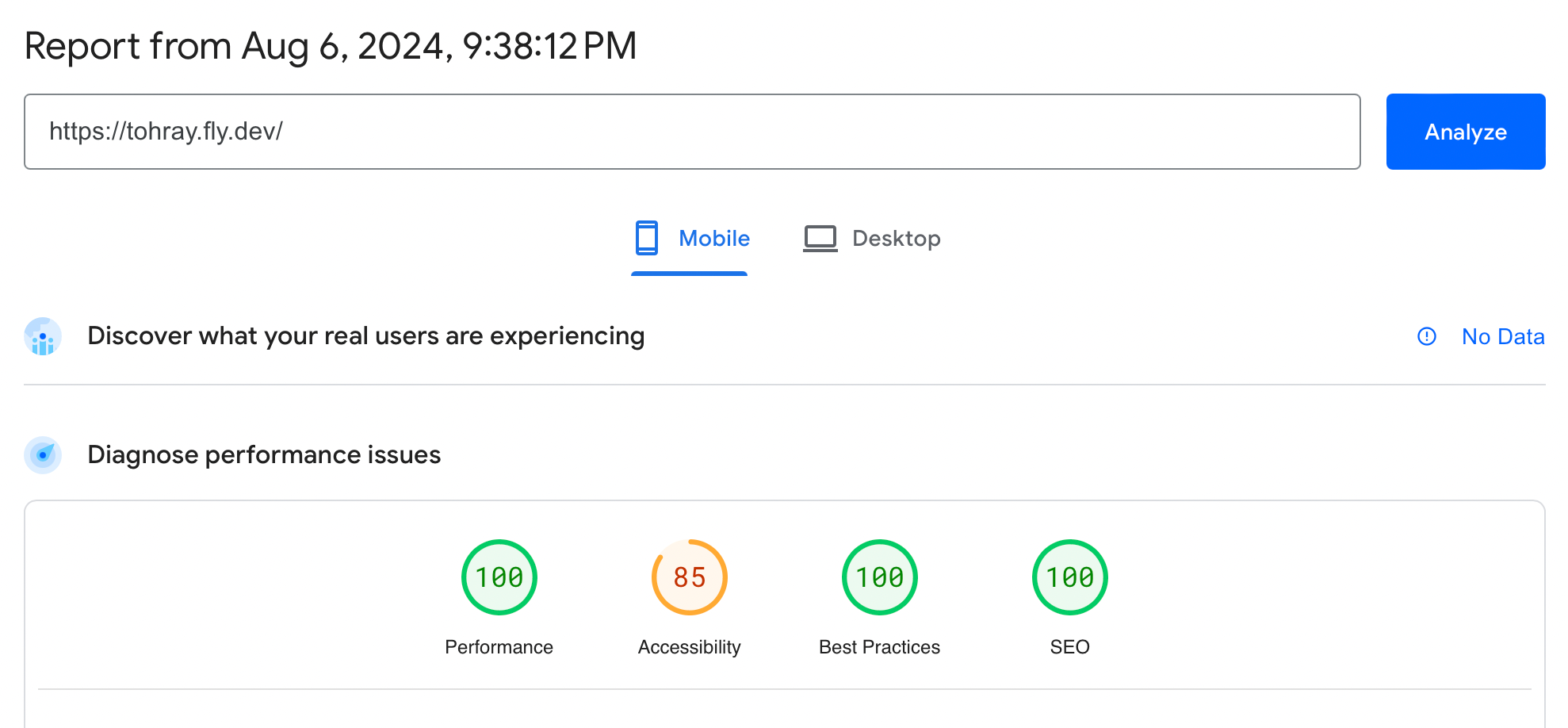
100 on everything except 85 on a11y, where I was dinged for terminal.css's low contrast navigation links, and some links like "github" being too small for touch screen to click on :)
Scinim's Ecosystem overview is a great collection of Nim related libraries for deep-learning, matmul, nlp etc.
Adding /export endpoint to tohray
I added the /export endpoint to tohray. This allows the user to backup the whole blog
in either JSON on Markdown format.
A GET call to /export returns JSON (default format). And user can get all the posts in
markdown format by attaching ?format=md to the above endpoint, ie., /export?format=md.
Added to urls.nim:
pattern("/export", exportAll, HttpGet, name="export"),
Added to views.nim:
proc exportAll*(ctx: Context) {.async.} =
  let
    format = ctx.getQueryParams("format", "json")
    db = open(consts.dbPath, "", "", "")
    rows = db.getAllRows(sql"SELECT slug, created, content FROM post ORDER BY created DESC")
  defer: db.close()
  if format == "json":
    ctx.response.addHeader("Content-Type", "application/json")
    var jsonArray = newJArray()
    for row in rows:
        var jsonObject = %*{
          "slug": row[0],
          "created": row[1],
          "content": row[2]
        }
        jsonArray.add(jsonObject)
    resp jsonResponse(%*{"posts": jsonArray})
  elif format == "md":
    ctx.response.addHeader("Content-Type", "text/plain")
    var res:string
    for row in rows:
      res = res & "\n" & row[0] & "\n" &  row[1] & "\n\n" & $rows[2] & "\n\n" & chr(28) # ascii file separator
    resp res